
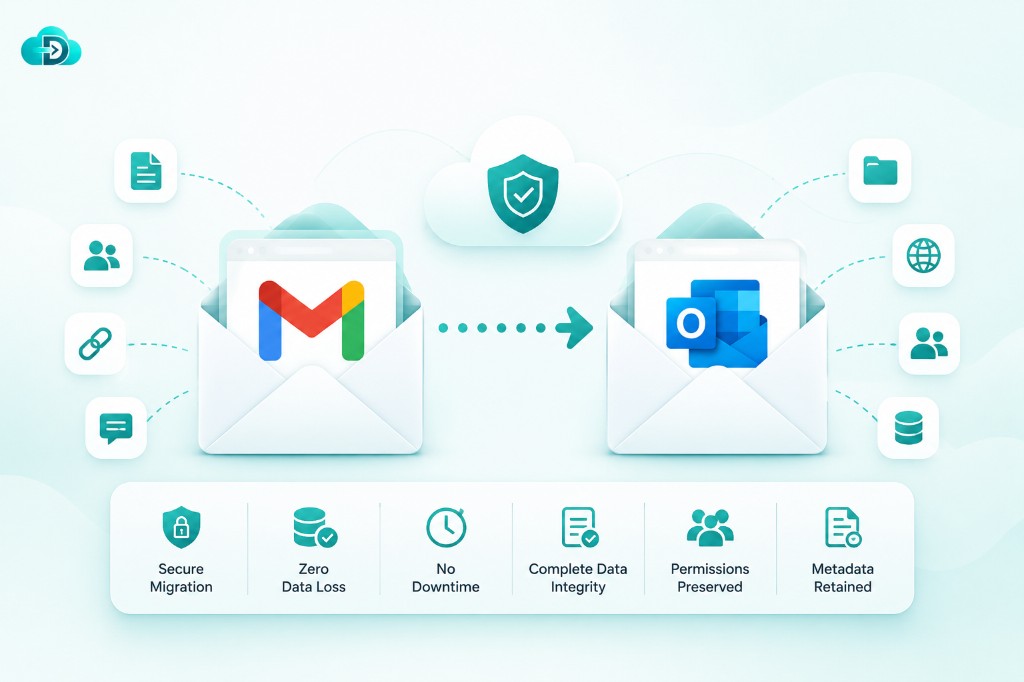
What is Email Migration?
Email migration is the process of transferring mailboxes, emails, calendars, contacts, archives, distribution lists, and user settings from one email platform to another.
Organizations migrate email systems when upgrading infrastructure, moving to the cloud, consolidating tenants, improving security, reducing costs, or supporting business growth.
A successful email migration ensures users retain access to their communication history while maintaining business continuity throughout the transition.
Common Email Migration Scenarios
Microsoft Exchange to Microsoft 365
Move on-premises Exchange mailboxes to Microsoft 365 while preserving user data and mailbox structure.
Google Workspace to Microsoft 365
Transfer Gmail messages, contacts, calendars, and user data into Microsoft 365 environments.
Microsoft 365 to Google Workspace
Migrate Exchange Online mailboxes, calendars, and contacts into Google Workspace.
Tenant-to-Tenant Migration
Consolidate organizations or restructure environments by moving data between tenants.
IMAP Email Migration
Transfer mailboxes from legacy email systems to modern cloud platforms.
Hybrid to Cloud Migration
Move from hybrid email infrastructures to fully cloud-based collaboration environments.
What Data Can Be Migrated?
Emails
- Inbox
- Sent Items
- Drafts
- Deleted Items
- Custom Folders
- Attachments
Calendars
- Meetings
- Recurring Events
- Reminders
- Resource Calendars
Contacts
- Personal Contacts
- Shared Contacts
- Contact Groups
Archives
- Online Archives
- Historical Mail Data
- Compliance Archives
Mailbox Settings
- Folder Structures
- Categories
- Read/Unread Status
- Metadata
Shared Resources
- Shared Mailboxes
- Distribution Lists
- Resource Mailboxes
Key Features
Complete Data Preservation
Maintain mailbox hierarchy, metadata, folder structures, attachments, and communication history throughout the migration.
Secure Data Transfer
Industry-standard encryption protects data during migration and transit.
Incremental Synchronization
Migrate data in stages while users continue working normally.
Minimal Downtime
Reduce disruption with intelligent synchronization and cutover processes.
Scalability
Support migrations ranging from a few mailboxes to hundreds of thousands of users.
Detailed Reporting
Track migration status, user progress, completed items, failures, and audit logs.
Challenges in Email Migration
Organizations commonly face:
- Large mailbox sizes
- Multiple email platforms
- Complex folder structures
- Shared mailbox dependencies
- Compliance requirements
- Bandwidth limitations
- User downtime concerns
- Data integrity verification
A well-planned migration strategy helps overcome these challenges while ensuring a smooth transition.
Email Migration Best Practices
Assess Existing Environment
Analyze mailboxes, storage requirements, user counts, and dependencies before migration.
Define Migration Strategy
Choose phased, staged, hybrid, or cutover migration approaches based on business needs.
Test Before Full Migration
Run pilot migrations to validate performance and identify issues.
Communicate with Users
Keep users informed about timelines, expectations, and potential impacts.
Validate Migrated Data
Verify mailbox contents, calendar entries, contacts, and permissions after migration.
Monitor and Optimize
Track migration progress and resolve issues proactively.
Benefits of Professional Email Migration
Improved Productivity
Users maintain access to critical communication and collaboration data.
Enhanced Security
Modern cloud email platforms provide advanced protection and compliance capabilities.
Reduced Infrastructure Costs
Eliminate maintenance costs associated with legacy email systems.
Better Collaboration
Enable modern communication and productivity features.
Business Continuity
Ensure uninterrupted access to email services during migration.
Why Choose Our Email Migration Solution?
Our migration platform is designed to simplify even the most complex email migrations.
Features Include:
- Mailbox Migration
- Calendar Migration
- Contact Migration
- Archive Migration
- Shared Mailbox Migration
- Distribution List Migration
- Incremental Sync
- Detailed Reporting
- Secure Data Transfer
- Enterprise Scalability
Whether you're migrating from Exchange, Microsoft 365, Google Workspace, IMAP systems, or another platform, our solution delivers secure and reliable results.
Frequently Asked Questions
How long does an email migration take?
Migration duration depends on mailbox size, user count, network speed, and source platform complexity.
Will users lose emails during migration?
No. Properly planned migrations preserve emails, attachments, folders, calendars, and contacts.
Can large mailboxes be migrated?
Yes. The platform supports enterprise-scale mailbox migrations.
Is downtime required?
Most migrations can be performed with minimal downtime using staged synchronization.
Are permissions and shared resources migrated?
Yes. Shared mailboxes, distribution lists, and related resources can be migrated depending on source and target platform support.
Ready to Migrate Your Email Platform?
Move mailboxes, calendars, contacts, archives, and shared resources securely and efficiently.