
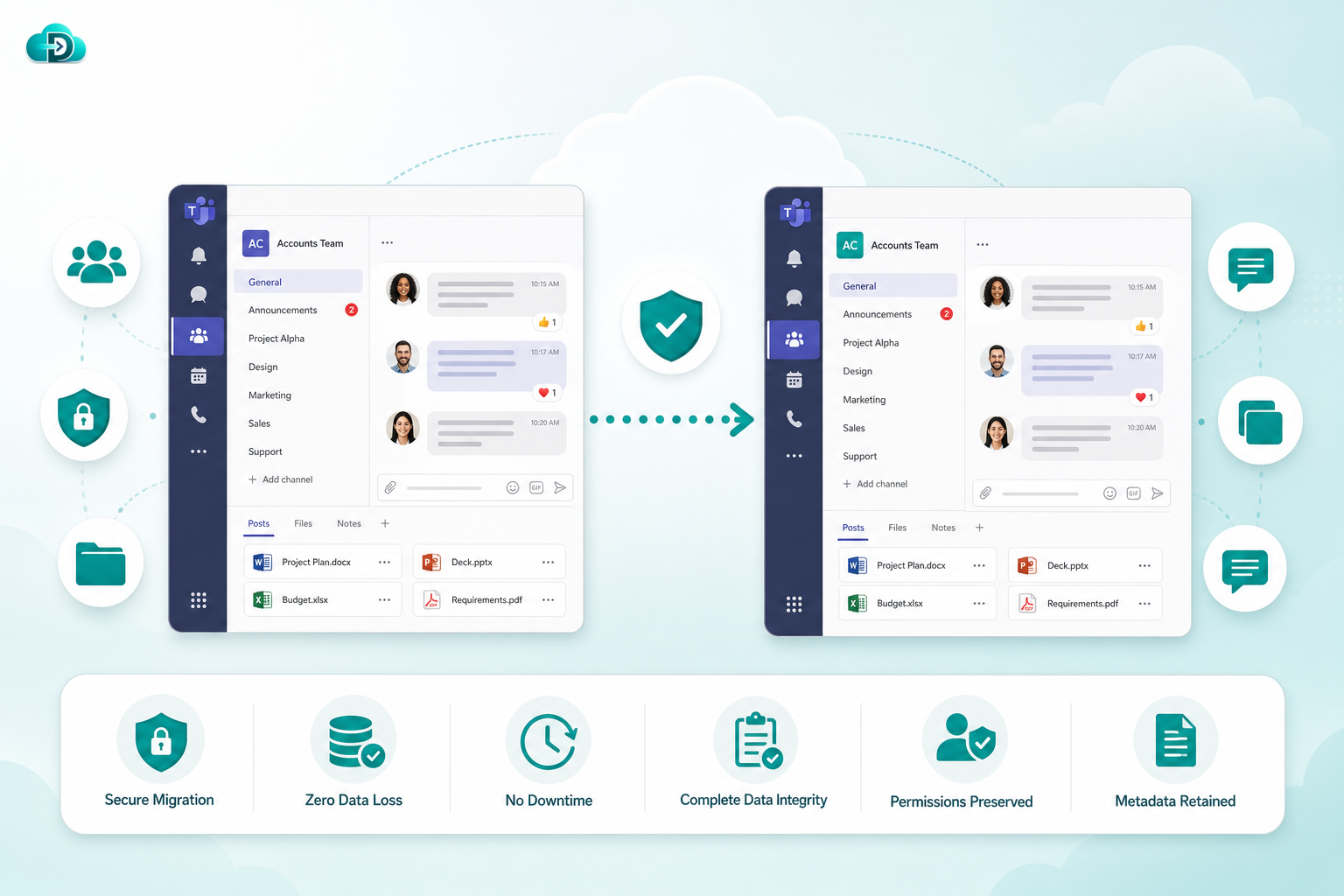
What is Teams Migration?
Microsoft Teams has become the central hub for communication and collaboration in modern organizations. Teams migration involves transferring collaboration environments, channels, conversations, files, permissions, memberships, tabs, and related resources from one Microsoft Teams environment to another.
Organizations commonly perform Teams migrations during mergers, acquisitions, tenant consolidations, divestitures, cloud modernization projects, and organizational restructuring.
A successful Teams migration ensures users retain access to critical collaboration data while minimizing downtime and maintaining productivity.
Common Teams Migration Scenarios
Tenant-to-Tenant Teams Migration
Move Teams data between Microsoft 365 tenants while preserving collaboration structures and user access.
Merger & Acquisition Migration
Consolidate multiple organizations into a single Teams environment.
Organizational Restructuring
Reorganize Teams workspaces and departments while retaining historical collaboration data.
Microsoft 365 Consolidation
Combine multiple Microsoft 365 environments into a unified collaboration platform.
Department Migration
Move specific business units or teams without affecting the entire organization.
Cloud Transformation Projects
Modernize collaboration infrastructure through large-scale Teams migrations.
What Data Can Be Migrated?
Teams
- Team Structures
- Team Settings
- Team Descriptions
- Team Memberships
Channels
- Standard Channels
- Private Channels
- Shared Channels
- Channel Settings
Conversations
- Channel Messages
- Posts
- Replies
- Announcements
Chats
- One-to-One Chats
- Group Chats
- Chat History
Files
- Documents
- Shared Files
- Channel Files
- Folder Structures
Memberships
- Owners
- Members
- Guests
- Security Groups
Permissions
- Team Permissions
- Channel Permissions
- File Permissions
- Access Controls
Apps & Tabs
- Installed Apps
- Custom Tabs
- Connectors
- Integrations
Key Teams Migration Features
Channel Preservation
Maintain channel structures, settings, and organization throughout migration.
Conversation Migration
Transfer valuable collaboration history, posts, replies, and discussions.
File Migration
Preserve files, folders, versions, and associated permissions.
Membership Mapping
Automatically migrate owners, members, and guest users.
Permission Preservation
Retain access controls and security settings to ensure continuity.
Incremental Synchronization
Keep source and destination environments synchronized during migration.
Enterprise Scalability
Handle migrations involving thousands of Teams and millions of collaboration artifacts.
Detailed Reporting
Monitor migration progress with comprehensive dashboards and audit logs.
Challenges in Teams Migration
Migrating collaboration platforms introduces unique complexities:
Complex Relationships
Teams are connected to SharePoint, OneDrive, Exchange, and Microsoft 365 Groups.
Large Volumes of Data
Organizations often have years of conversations and files.
Permission Dependencies
Maintaining correct access rights is critical for security and productivity.
User Disruption Risks
Poor planning can impact communication and collaboration.
Application Dependencies
Teams frequently contain business-critical integrations and apps.
A robust migration strategy ensures these challenges are addressed effectively.
Best Practices for Teams Migration
Assess Collaboration Environment
Inventory Teams, channels, memberships, files, and permissions before migration.
Plan User Mapping
Ensure accurate mapping of users, groups, and memberships.
Pilot Testing
Validate migration workflows with a small set of Teams before full deployment.
Preserve Security
Verify permissions and access controls throughout the migration process.
Communicate with Stakeholders
Keep users informed about migration timelines and expectations.
Validate Results
Confirm successful migration of conversations, files, channels, and memberships.
Benefits of Teams Migration
Unified Collaboration
Consolidate communication platforms into a single environment.
Improved Productivity
Provide uninterrupted access to collaboration content and resources.
Enhanced Governance
Implement consistent policies, security controls, and compliance standards.
Reduced Administrative Overhead
Simplify management through centralized collaboration environments.
Better User Experience
Deliver a seamless transition with minimal disruption.
Why Choose Our Teams Migration Solution?
Our enterprise-grade Teams migration platform helps organizations move collaboration environments quickly, securely, and efficiently.
Supported Migration Components
- Teams
- Standard Channels
- Private Channels
- Shared Channels
- Channel Conversations
- Chat Messages
- Files & Documents
- Team Memberships
- Owners & Members
- Permissions
- Apps & Tabs
- Metadata
- Incremental Sync
- Audit Reports
- Enterprise Scale Migrations
Migration Process
-
Discovery & Assessment
Analyze Teams structures, memberships, permissions, and collaboration content.
-
Planning
Design migration strategies, mappings, and validation procedures.
-
Pilot Migration
Validate migration behavior using selected Teams and users.
-
Full Migration
Transfer collaboration data securely and efficiently.
-
Validation
Verify channels, chats, files, permissions, and memberships.
-
Cutover & Optimization
Finalize migration and optimize user experience.
Frequently Asked Questions
Can private channels be migrated?
Yes. Private channels and their associated content can be migrated while preserving permissions.
Are Teams chats migrated?
Yes. One-to-one chats, group chats, and channel conversations can be migrated depending on migration scope.
Can file permissions be preserved?
Yes. Permissions and access controls can be maintained throughout migration.
Is downtime required?
Most Teams migrations can be performed with minimal disruption using incremental synchronization.
Can large enterprise environments be migrated?
Yes. The platform supports migrations involving thousands of Teams and millions of files and messages.
What happens to memberships?
Owners, members, guests, and group associations can be migrated and mapped automatically.
Ready to Migrate Microsoft Teams?
Move channels, chats, files, permissions, memberships, and collaboration data securely and efficiently.