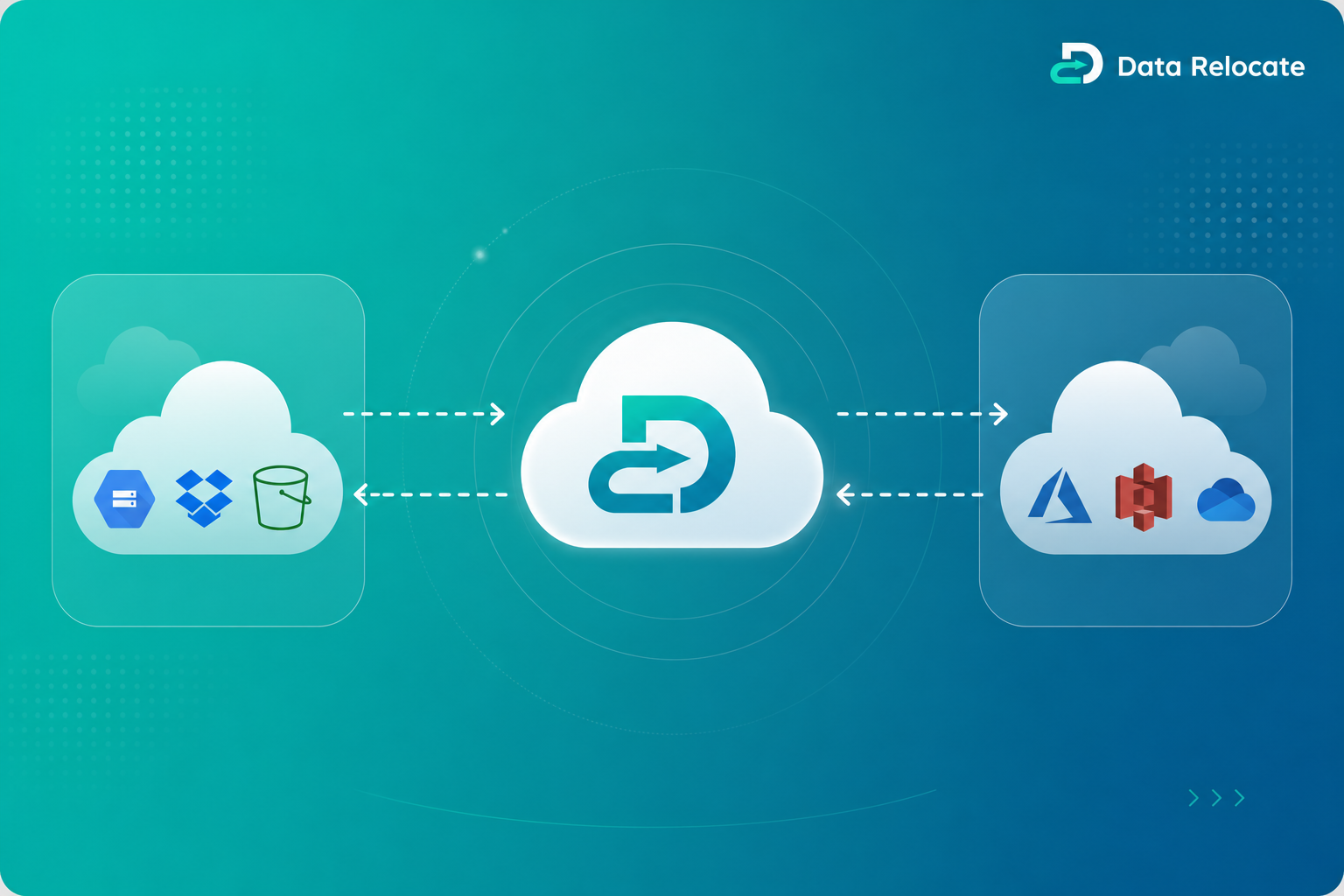
Delta migration is the enterprise approach to cloud cutovers that keeps users productive while data stays in sync. Instead of repeating a full data copy at go-live, teams run an initial bulk transfer, let business continue on the source, then synchronize only what changed before the final switch.
What Is Delta Migration?
Delta migration is the process of migrating only newly added, modified, or updated content after an initial migration has been completed. Rather than re-copying entire libraries, mailboxes, or tenant workloads, delta migration transfers only the differences between the source and destination environments.
This incremental synchronization model is essential for large-scale content, email, and collaboration migrations where downtime must be minimized and accuracy must remain high through cutover weekend.
Example: How Delta Migration Reduces Rework
- Initial migration copies 5 TB of files, folders, permissions, and metadata to the destination.
- Users continue working on the source for two weeks while validation and UAT run in parallel.
- Delta migration transfers only newly created or modified content—often a fraction of the original volume.
- Final cutover switches users to the destination with near-zero data lag.
Explore Data Relocate migration services for content, email, and chat workloads across 50+ cloud platforms.
Why Delta Migration Is Important
Enterprise migration projects rarely succeed with a single copy window. Users keep creating files, updating permissions, and collaborating while IT validates mappings, security, and compliance. Delta migration closes that gap.
Minimal Downtime
Users stay on the source until the final cutover, reducing business disruption.
Faster Final Cutover
Only changed items transfer at go-live, shrinking the maintenance window.
Reduced Network Load
Incremental passes use less bandwidth than repeated full migrations.
Improved Migration Accuracy
Change detection targets deltas so destination data matches source reality.
Continuous Data Synchronization
Scheduled delta runs keep environments aligned before switchover.
Better User Experience
Teams avoid prolonged freezes, surprise data loss, and post-cutover rework.
How Delta Migration Works
Step 1: Initial Migration
The first pass migrates the bulk of your environment: files, folders, permissions, metadata, versions, and related collaboration objects. This establishes a complete baseline on the destination platform.
Step 2: User Activity Continues
While IT validates results, users remain productive on the source. They create files, edit documents, update sharing, and change ownership—generating new deltas that must be captured before cutover.
Step 3: Delta Scan
- Detect newly added content
- Detect modified files and metadata
- Detect deleted or archived items
- Compare permissions and sharing changes
Step 4: Delta Transfer
Only changed items are transferred to the destination. Data Relocate applies platform-aware rules so renames, version updates, and permission edits map correctly without duplicating unchanged objects.
Step 5: Final Cutover
After one or more delta passes, IT runs a final sync, validates reports, and switches users to the destination. DNS, identity, and client configuration updates complete the migration with minimal downtime.
What Data Can Be Synchronized?
Files
Folders
Permissions
Metadata
Version History
Comments
Shared Links
Folder Structure
Ownership Information
Data Relocate Delta Migration Capabilities
Data Relocate is built for enterprise-scale migrations where delta sync is not optional—it is the foundation of a safe cutover plan.
- Incremental synchronization — transfer only what changed since the last successful pass.
- Scheduled delta runs — automate nightly or hourly syncs during coexistence.
- Multiple delta passes — run as many cycles as needed before final cutover.
- Automated change detection — compare timestamps, hashes, and platform signals.
- Detailed migration reports — audit every item, error, and remediation action.
- Migration tracking dashboard — monitor progress, throughput, and readiness in real time.
- Enterprise scale migrations — handle multi-TB libraries and large user populations.
Request a custom migration quote or review our pre-migration reports to plan delta windows before your first bulk pass.
Common Use Cases
Microsoft 365 Tenant Migration
Sync mailboxes, OneDrive, and SharePoint deltas between tenants during mergers or divestitures.
SharePoint Online Migration
Preserve site structure, libraries, and permissions across incremental passes.
OneDrive Migration
Keep user drives current while validation and training continue on the source.
Google Drive Migration
Transfer My Drive and Shared Drive changes without full re-copy.
Box Migration
Sync enterprise content hubs with metadata and sharing intact.
Dropbox Migration
Incremental sync for team folders and business accounts.
Teams Migration
Coordinate chat and file deltas alongside content migration waves.
Cross-Cloud Migration
Bridge Google Workspace, Microsoft 365, and other platforms with phased delta cutovers.
Benefits of Using Data Relocate
- Near-zero downtime during final cutover
- Faster project completion with parallel validation
- Improved migration accuracy through automated delta detection
- Reduced business disruption for IT admins and end users
- Enterprise-grade security with encrypted transfer channels
- Scalable migration engine for multi-TB and multi-site programs
FAQs
What is Delta Migration?
Delta migration synchronizes only content that changed after an initial bulk transfer. It captures new, modified, and deleted items so the destination stays current without repeating a full data copy.
How often can Delta Migrations run?
Delta migrations can run on a schedule you define—hourly, nightly, or on demand. Most enterprises run multiple passes during coexistence and one final delta immediately before cutover.
Does Delta Migration move permissions?
Yes. Data Relocate detects sharing and permission changes during delta scans and applies updates on the destination, including user access, group membership, and link-based sharing where supported.
Can Delta Migration move version history?
Yes. New file versions created after the initial pass are included in delta transfers, preserving version history and audit trails according to platform capabilities.
Is Delta Migration suitable for large enterprises?
Absolutely. Delta migration is designed for enterprise programs with large data volumes, complex permissions, and strict downtime requirements across Microsoft 365, Google Workspace, Box, Dropbox, and more.
How does Data Relocate identify changed files?
Data Relocate compares source and destination metadata—timestamps, size, hashes, and platform-specific change signals—to detect additions, modifications, deletions, and permission updates before transferring only the delta set.